The Complete Guide to HIDOE Teacher Reclassification (2025-2026 Update)
Intro: Why Reclassify?
As a HIDOE teacher, you have two ways to increase your salary: annual step movements (years of service) and reclassification (professional growth). While step movements happen automatically, reclassification is up to you.
Moving from one Class to the next (e.g., Class II to Class III) usually results in a salary increase of roughly $3,000–$4,000 per year that stays with you for your entire career.
This guide breaks down exactly how to get your 15 credits, which forms you actually need, and how to submit them.
The Two Pathways
1. Department PD Credits (The "PDE3" Route)
These are courses offered directly through the DOE or approved vendors.
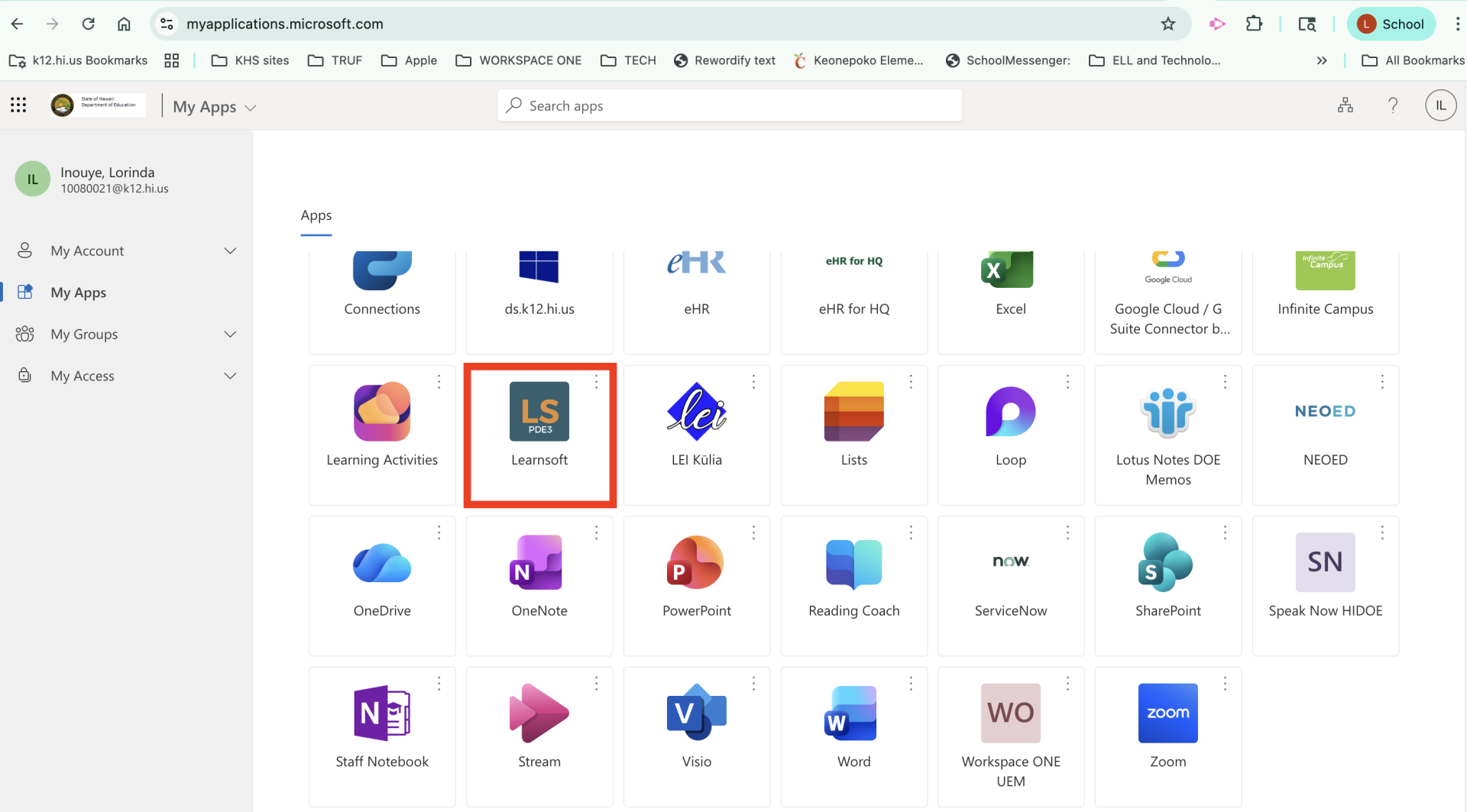
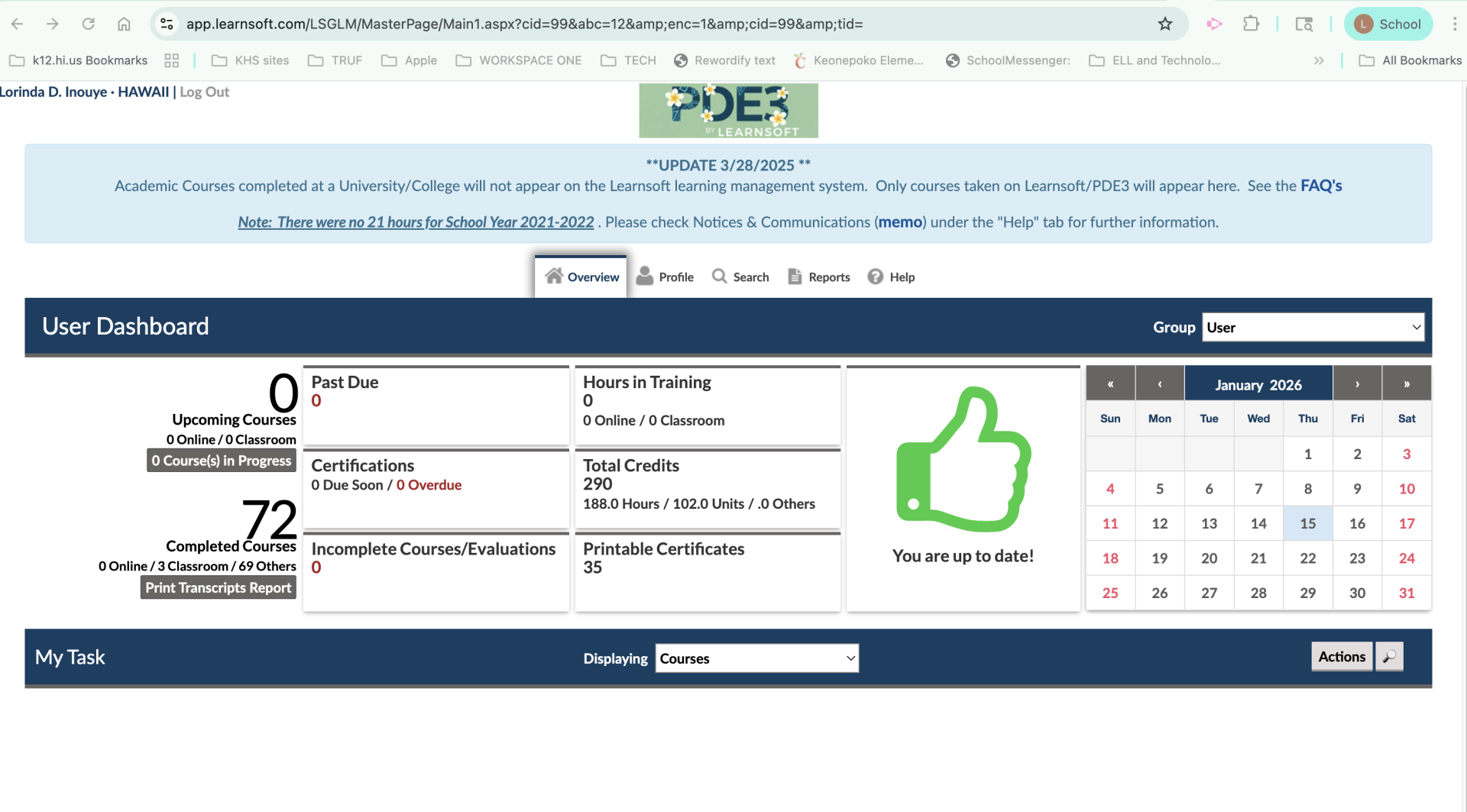
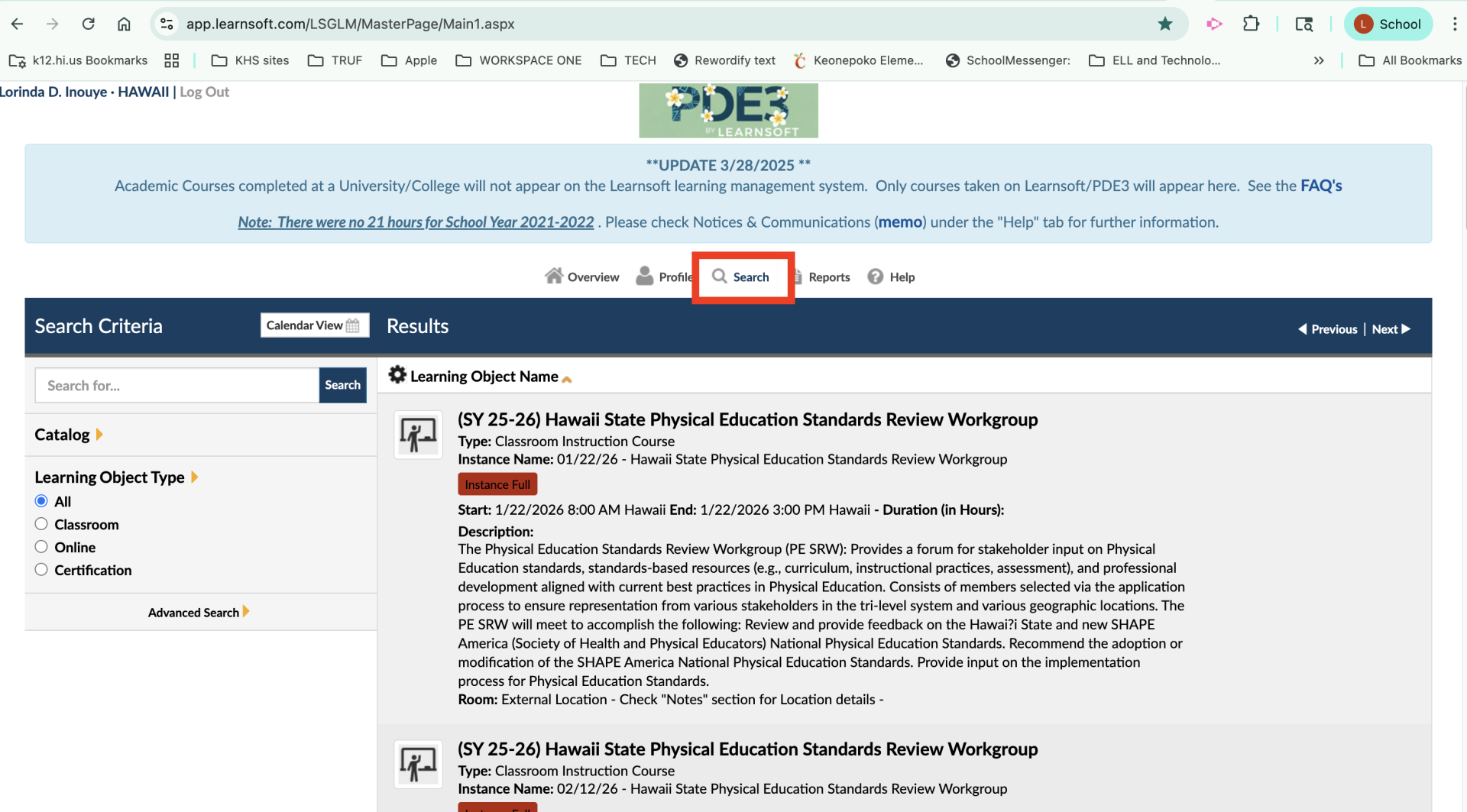
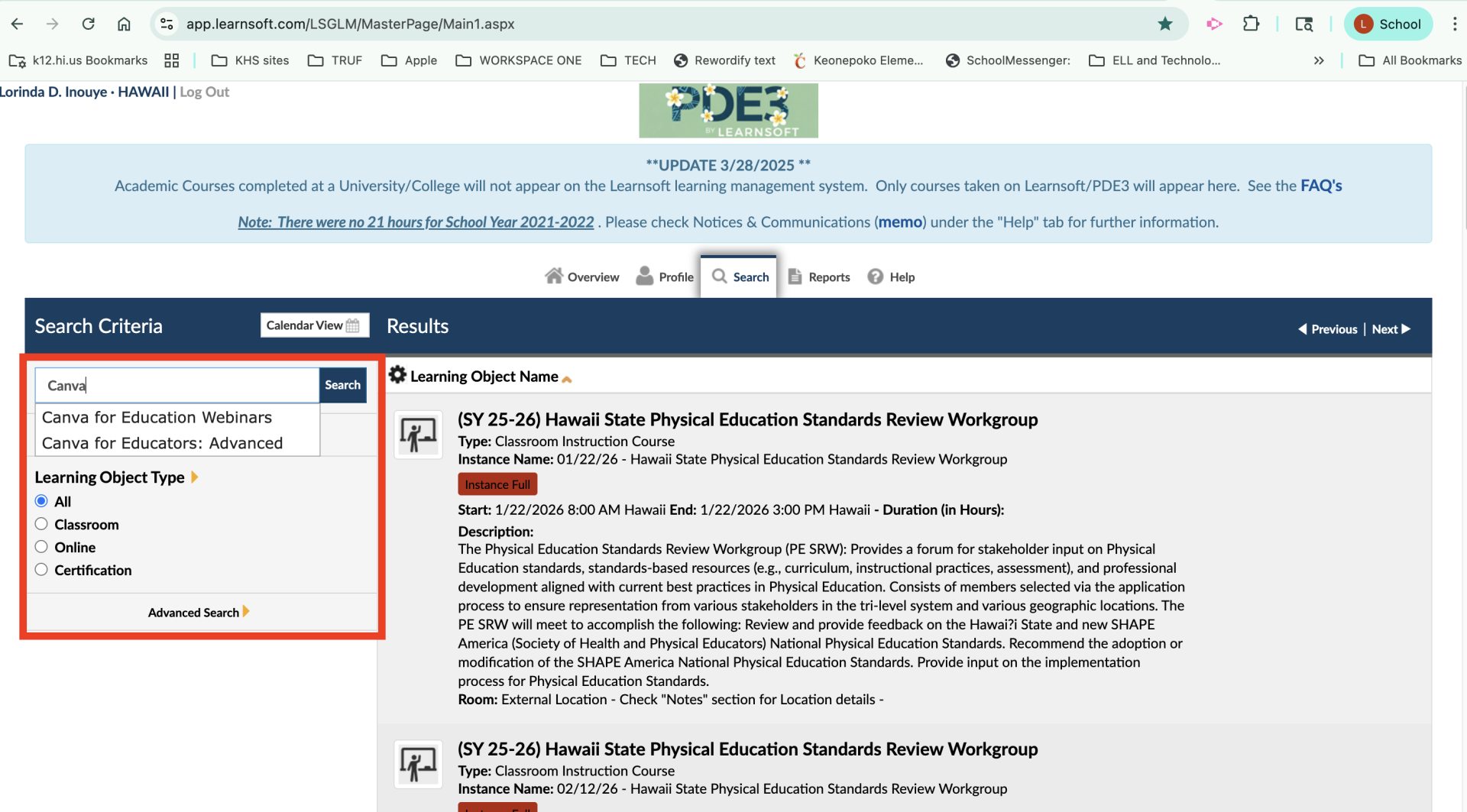
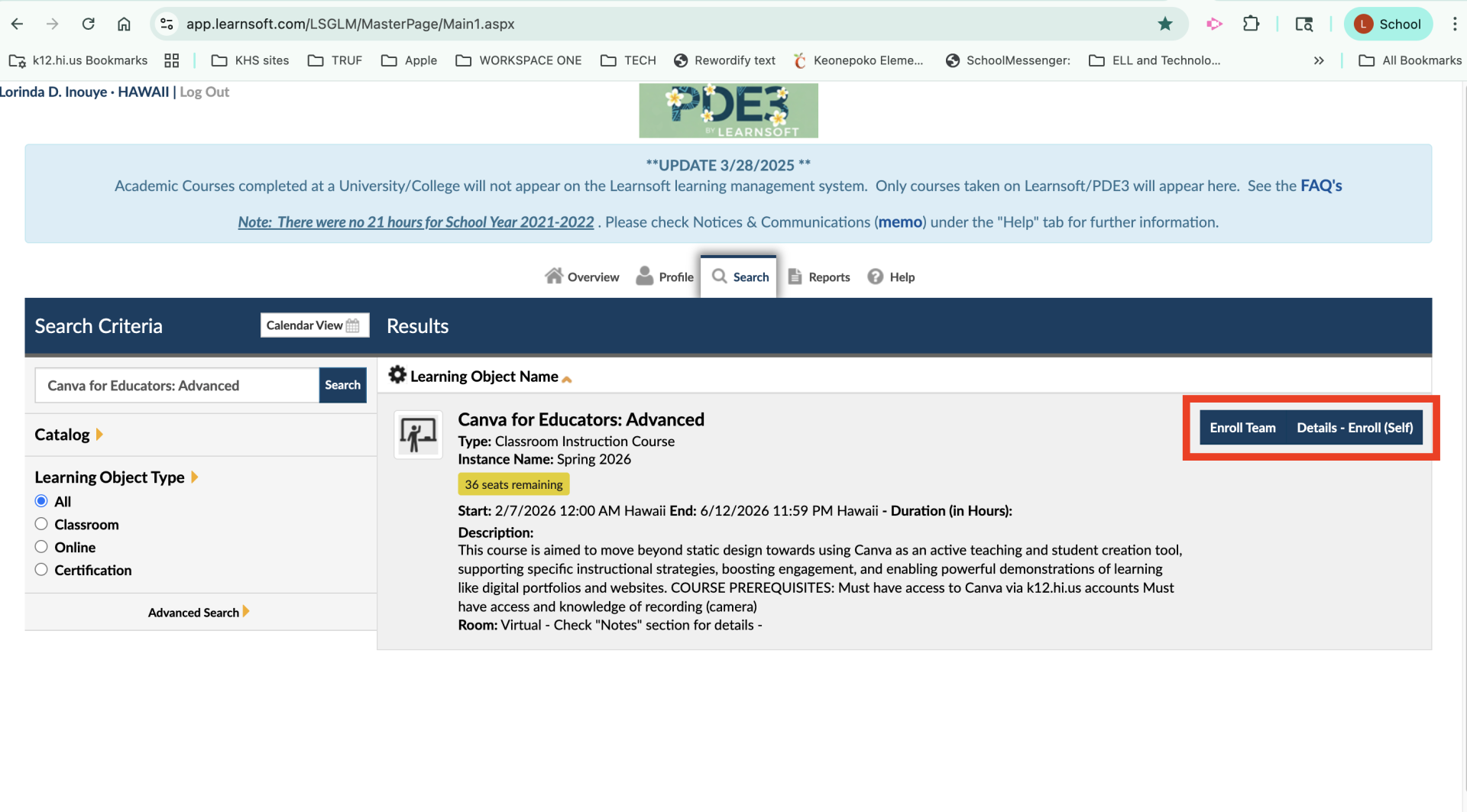
Where to find them: The HIDOE Professional Development system (often still called "PDE3" but technically powered by Learnsoft).
Cost: Often free or low-cost.
Pros: They are pre-approved for reclassification. No guessing games.
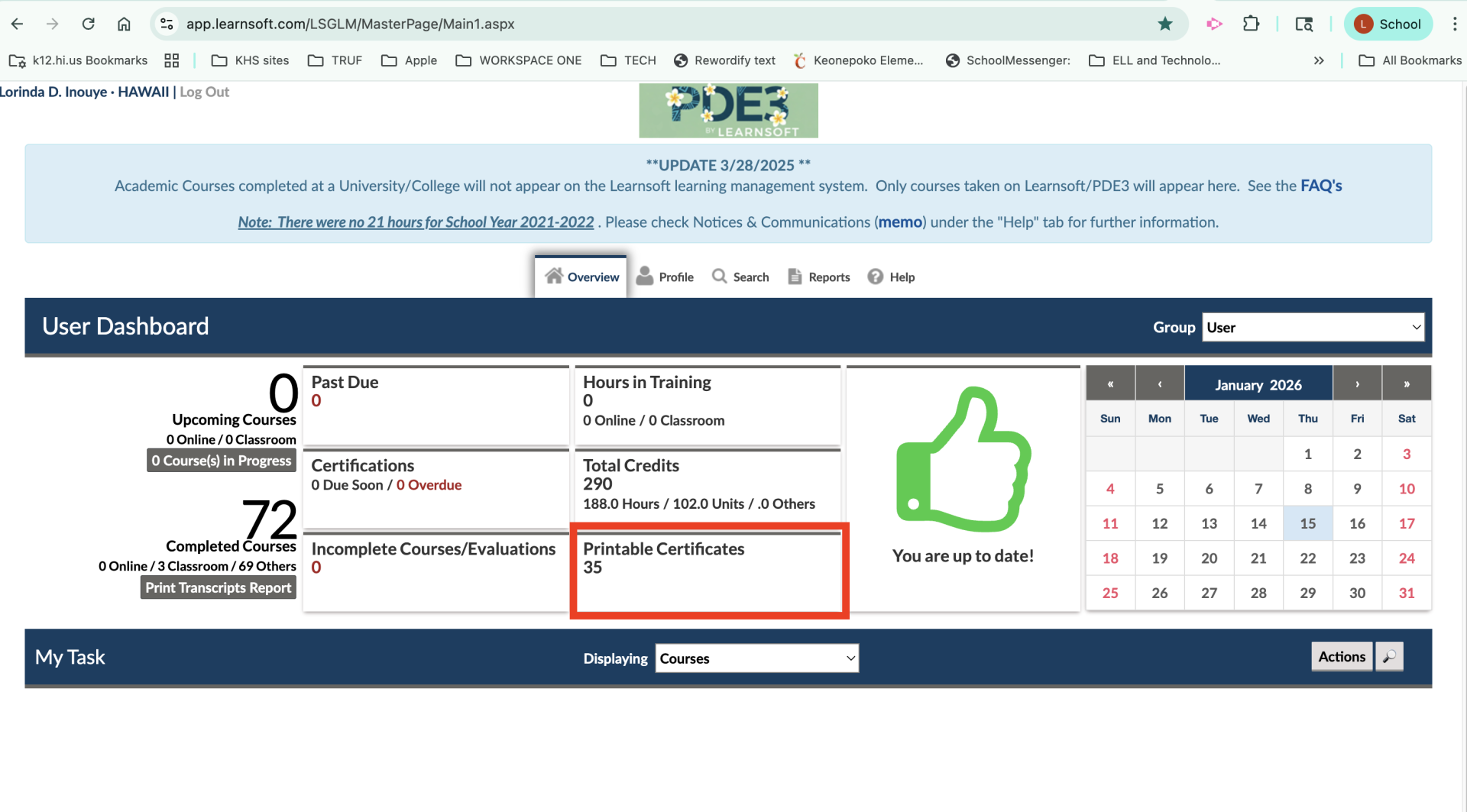
Tracking: Your credits are automatically tracked in your PDE3/Learnsoft transcript.
2. University/Academic Credits
These are college-level courses (100-level or above) from an accredited university.
Where to find them: UH Manoa, Leeward CC, or online universities.
Pros: Great if you are working toward a Master’s or additional certification.
Important: The course must be related to your license area or school initiatives to count.
Step-by-Step: How to Reclassify
Step 1: Check Your Current Status Log in to your HIDOE eHR portal to see your current classification (e.g., Class II, Step 9).Goal: You are trying to move to the next Class (e.g., Class II -> Class III). Note: You can generally reclassify once per semester.
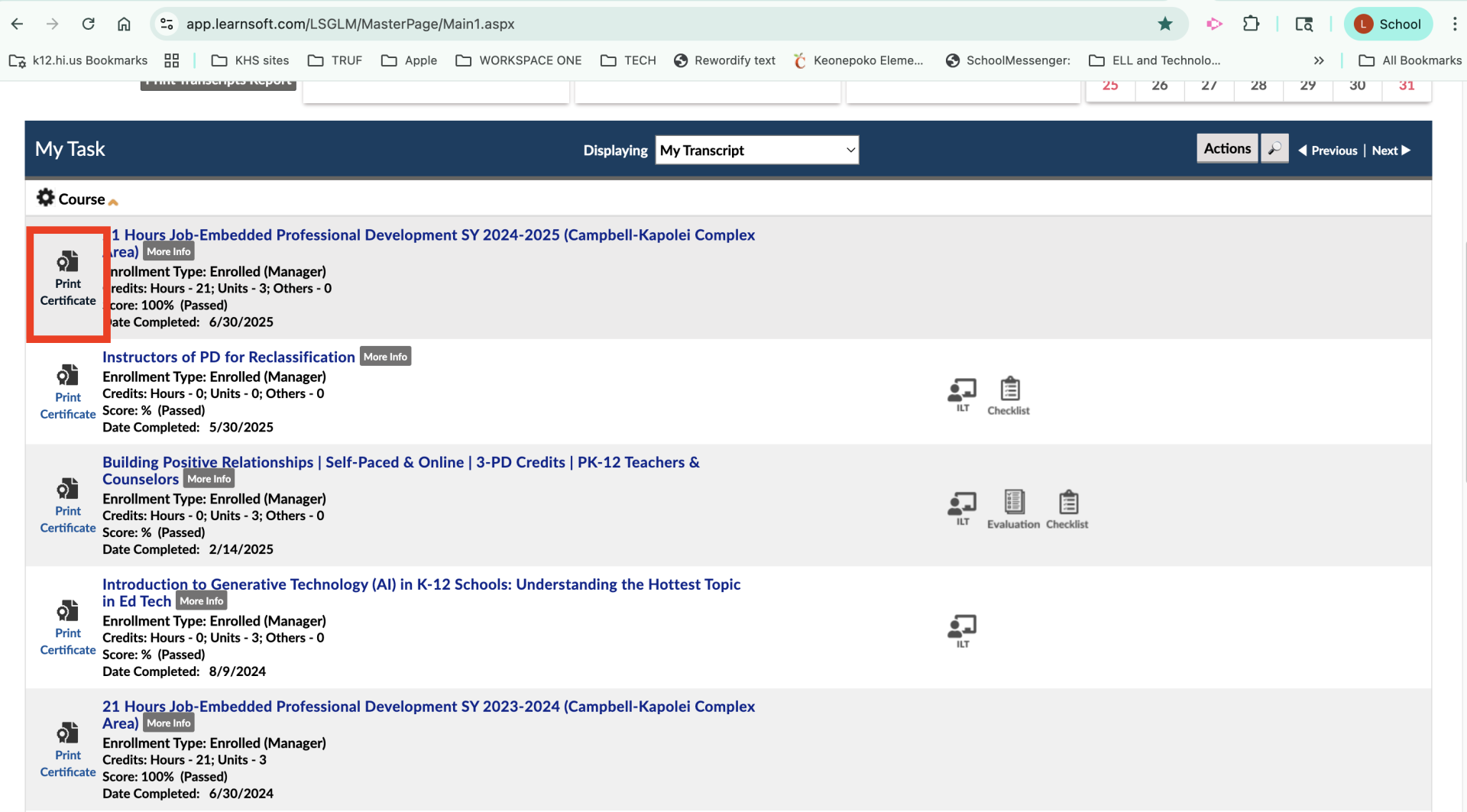
Download Form 200-005(PD): This is usually generated automatically in the system once the course is finalized. Save this PDF!
IF TAKING UNIVERSITY CREDITS:
Get Principal Approval First: Update Alert! As of July 1, 2021, you no longer need to submit the old "Form 200-005(a)" to the state for pre-approval. However, you must still get verbal or written approval from your administrator to ensure the course aligns with your school's Academic Plan.
Complete the Course: Pass with a grade of "C" or better.
Order Official Transcripts: Have the university send an official transcript to you (or directly to the DOE Reclassification Unit).
Step 3: Submit Your Paperwork
This is where most teachers get stuck. The process differs slightly depending on your credit type.
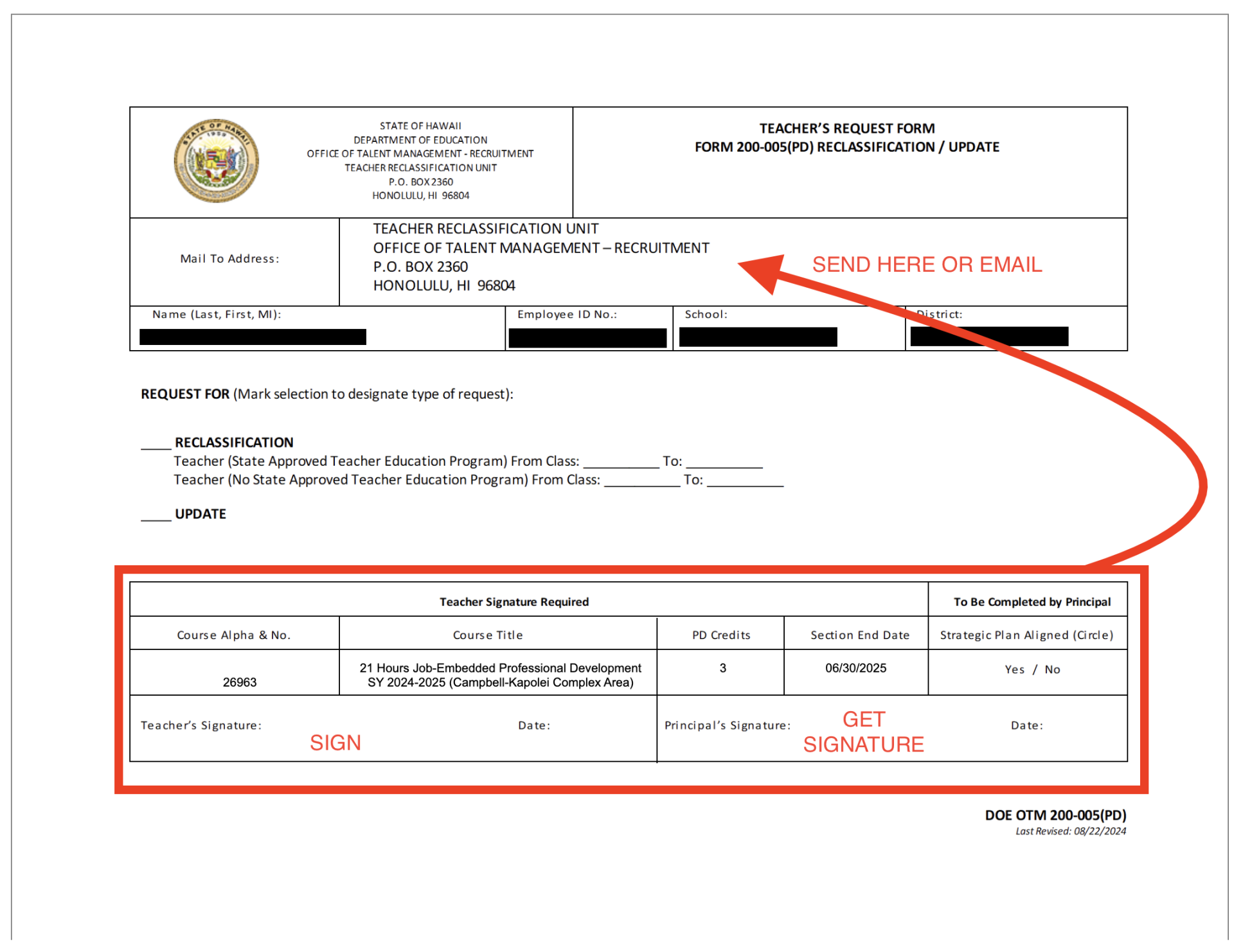
Download DOE OTM 200-005 above
This is the primary request form. You must list the courses you are using for reclassification on this form.
Submission Packet Checklist:
Completed Form 200-005 (Signed by you and your Principal)
Evidence of Credits:
For PD: Attach your Form 200-005(PD) or official PDE3 Transcript.
For University: Attach Official Transcripts. (If sent digitally to the DOE, note that on your form).
Step 4: Deadlines & Where to Send
Scan your documents into a single PDF if possible.
Email to: Teacher.Reclassification@k12.hi.us
Deadlines:
Fall Semester Reclassification: Submit by October 30th (Retroactive to start of Fall semester).
Spring Semester Reclassification: Submit by March 30th (Retroactive to start of Spring semester).
Important Updates
Class VIII is Here: Teachers can now move up to Class VIII. To do this, you need 15 credits earned after July 1, 2023, PLUS you must meet the Sheltered Instruction (SIQ) requirement (6 credits).
Form 200-005(a) is Gone: If you hear veteran teachers talking about the "pre-approval form," tell them it was discontinued for classes started after July 2021.
Semester Rules: You must remain in your new classification for at least one semester before moving again.
Need Help?
Official DOE Reclassification Unit Phone: (808) 441-8383